
4 min read
Online Patient Forms Dental Clinics: Boost Your Conversions
Balance clinical data needs with a seamless booking experience. Discover how progressive disclosure and mobile optimization turn website visitors into patients.
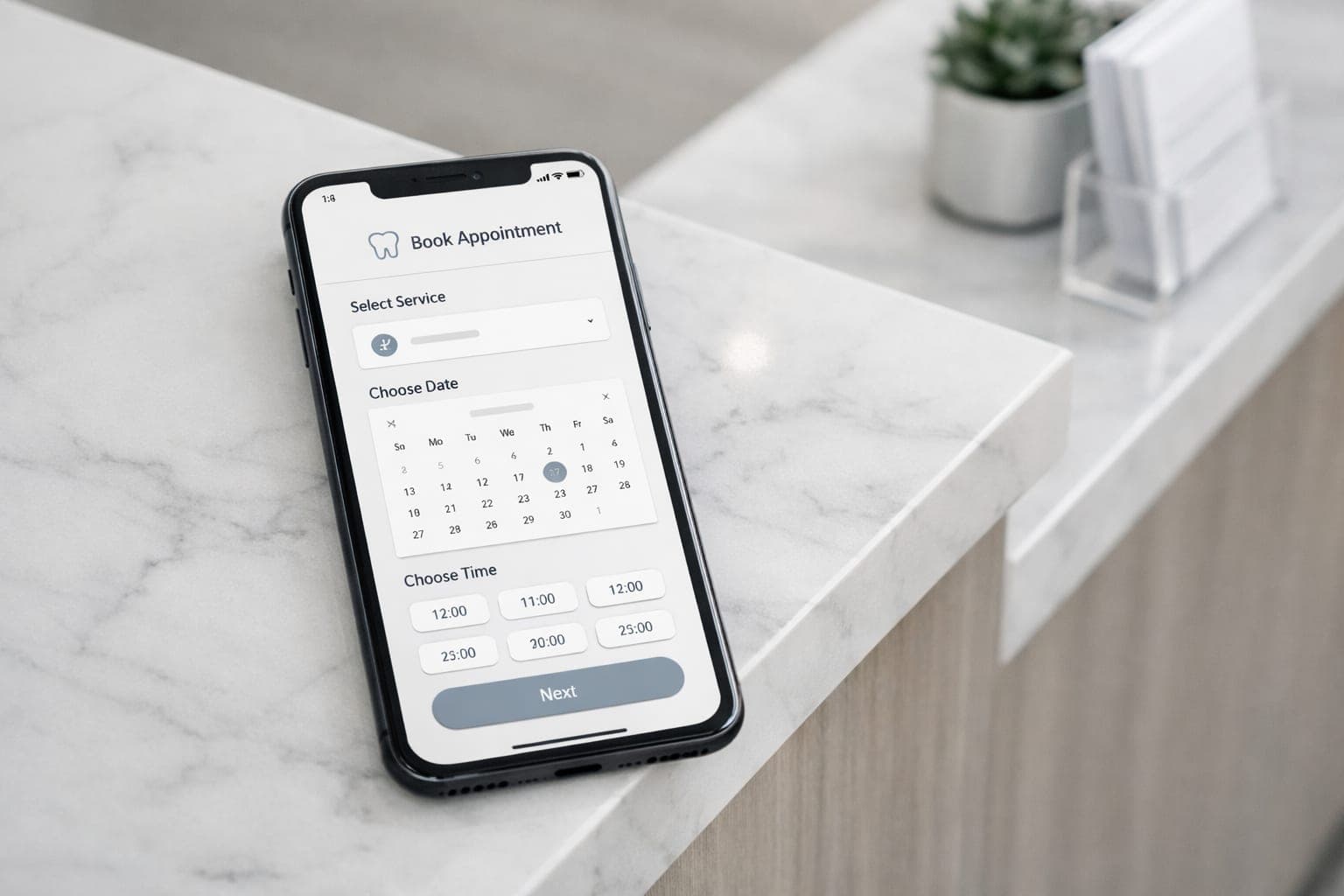
Implementing efficient online patient forms dental clinics rely on is the difference between a full calendar and a leaking sales funnel. Many practices treat their digital intake like a digital clipboard, forcing patients to navigate ten page PDFs on a mobile screen. This creates a massive bottleneck in your patient UX that kills your conversion rate before the first appointment is even scheduled.
Key takeaways
- Split the booking process from the clinical intake to reduce friction.
- Use progressive disclosure to prevent form abandonment.
- Optimize all input fields for mobile devices to capture on the go leads.
- Prioritize security signals to build trust when collecting health data.
Why are my patients abandoning my booking forms?
When a person decides to book an appointment, they are in a high state of intent. Any barrier you put in their way increases the chance they will leave your site and call the clinic down the street. This is a critical failure in dental marketing where the goal is to remove every possible point of friction.
Common friction points that lead to abandonment include:
- Asking for a full medical history before the patient has even picked a date.
- Forcing users to create an account or a password just to request a time.
- Long lists of checkboxes that require endless scrolling on a smartphone.
- A lack of auto save features, forcing patients to restart if a page refreshes.
If your form takes more than two minutes to finish, you are losing potential revenue. To a patient checking their phone during a lunch break, a long form is a red flag. It suggests that visiting your clinic will be a tedious administrative chore rather than a premium healthcare experience.
The Solution: Progressive Disclosure
Progressive disclosure is a design technique that breaks information into manageable steps. Instead of showing every field at once, you only show what is needed for that specific moment. This approach is a cornerstone of conversion rate optimization for medical websites.
For a dental clinic, you should split the process into three distinct phases:
- The Lead Capture: Collect only the name, email, phone, and the treatment they want. This locks in the lead immediately.
- The Appointment Slot: Use a calendar integration where they pick a time that works for them.
- The Intake: The detailed medical history and insurance paperwork.
By separating the booking from the intake, you remove the barrier to entry. You can send the detailed online patient forms via a secure link after the appointment is confirmed. This ensures the patient is committed to the visit before you ask for sensitive health data. This strategy is similar to how we handle mobile friendly dental website patient booking to ensure no lead is left behind.
How do I design forms for mobile completion?
Most patients book from their phones, yet many dental websites are designed for a desktop experience. A form that looks clean on a monitor is often unusable on a five inch screen. To fix this, you must implement specific technical adjustments to your dental website.
Consider these mobile optimization steps:
- Use native input types: Trigger the numeric keypad for phone numbers and date pickers for birthdays.
- Use large touch targets: Buttons and checkboxes must be easy to tap without hitting the wrong field.
- Implement a progress bar: If the form has multiple steps, show the patient exactly how close they are to the finish line.
- Minimize typing: Use dropdowns or radio buttons for common answers so the patient does not have to type as much.
If your website is not converting mobile visitors, GenXTech Solutions can help you build high performance treatment pages and booking flows. Improving these elements is a key part of a dental website redesign SEO guide to ensure you keep your rankings while improving the user experience.
When to require forms upfront
While progressive disclosure is usually the best bet, some cases require more data upfront. This is typically true for high ticket elective work, such as dental implants or full mouth reconstructions.
In these specific instances, a short pre screening questionnaire helps your team in several ways:
- It qualifies the lead based on their specific clinical needs.
- It provides the clinician with preliminary data before the consultation starts.
- It filters out patients who are not a fit for the specific treatment.
Even in these high ticket scenarios, keep the pre screening to five questions or fewer. Save the full medical history for the phase after they have officially booked their slot. This keeps your clinic website first impression positive and efficient.
Building trust and ensuring data security
Patients will not enter sensitive health data into a site that looks outdated or feels insecure. Trust is the only way to get a complex form completed. To increase your completion rates, ensure your forms include these trust signals:
- SSL certification: Ensure the padlock icon is visible in the browser.
- Privacy transparency: Place a clear, short link to your privacy policy near the submit button.
- Professional branding: Ensure the form design matches the rest of your site perfectly.
- Clear expectations: Provide a confirmation message that tells the patient what happens next, such as "Our coordinator will call you within 2 hours to confirm."
Next step
Your website should be a tool for growth, not a barrier. If your booking process is leaking leads because of poor form design, you need a professional upgrade. Contact us at GenXTech Solutions to build a professional practice website or optimized treatment pages that turn visitors into patients.
Frequently asked questions
Should I collect medical history before or after booking?
It is generally better to collect basic contact info for the booking first. Send the detailed medical history form via email or SMS after the appointment is confirmed to avoid booking abandonment.
How long should a dental booking form be?
The initial booking step should be as short as possible. Limit it to name, contact details, and the reason for the visit to maximize your conversion rates.
Why are my patients abandoning my online forms?
Common reasons include too many fields, a lack of mobile optimization, or asking for sensitive information before the patient has established trust with your brand.
Is a PDF form acceptable for online intake?
No, PDFs are often difficult to fill out on mobile devices. Using a responsive web form significantly improves the patient experience and completion rates.
How does progressive disclosure help my clinic?
It reduces the cognitive load on the patient by breaking a long process into small, easy steps. This prevents users from feeling overwhelmed and increases the likelihood of completion.